Dokploy on Hetzner: 6 months of self-hosting on a budget
When you start stacking side-projects, Cloud as a Service bills have a way of quietly creeping up. Vercel for the frontend, Railway for the API, Render for the background worker — and at the end of the month you realize you’re paying dozens of euros for projects that haven’t seen a single user yet.
Six months ago I decided to change my approach: one VPS, one deployment tool, full control over what I run. The verdict? I’m not going back.
The infrastructure: keep it simple
My setup fits in one sentence: a VPS at Hetzner, located in Helsinki, Finland, billed at €11.40 per month. That’s it. No load balancer, no managed volumes, no private network. Just an Ubuntu server with Docker on it.
Hetzner has a solid reputation in the European open-source community: fast machines, datacenters in Europe, and pricing that’s hard to beat (even if, like everything else, it keeps inching up). For experimenting and hosting personal projects, it’s the obvious choice.
What is Dokploy?
Dokploy is an open-source self-hosting platform that installs on any Docker-capable VPS. It gives you a web interface to deploy, manage, and monitor your containerized applications — without writing a docker-compose file from scratch for every new project.
Think Heroku or Railway, but on your own hardware. Compared to alternatives like Coolify or CapRover, Dokploy stands out for its straightforward installation, its clean modern interface, and its native integration with multiple source providers (GitHub, GitLab, Bitbucket).
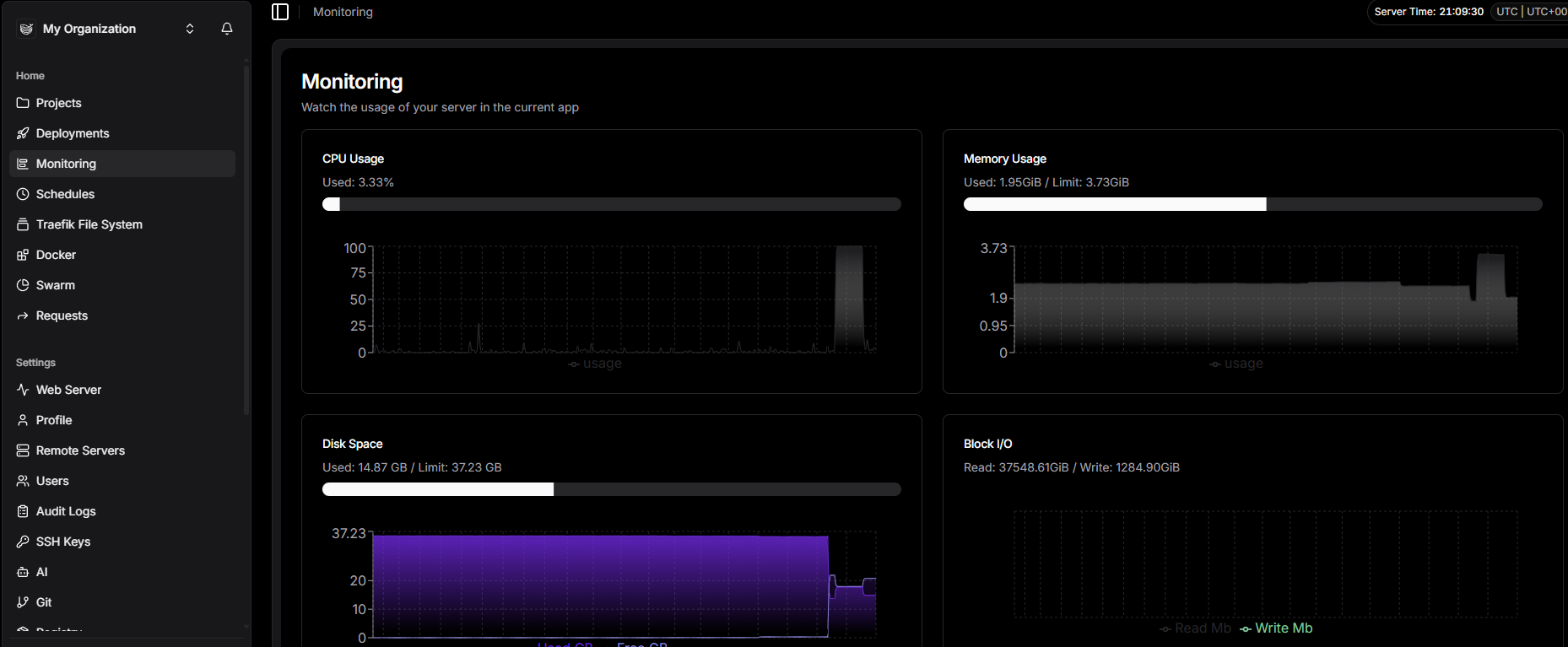
Dokploy’s monitoring interface:
Installation: two minutes flat
Setup comes down to a single command on your server:
curl -sSL https://dokploy.com/install.sh | shDokploy automatically installs Traefik as a reverse proxy, handles TLS certificate provisioning via Let’s Encrypt, and exposes its interface on port 3000. First login, create your admin account, and you’re up and running.
In theory.
What actually shines
After six months of daily use, three things still impress me.
Container inspection. From the interface, you get one-click access to the state of every container: resource consumption, environment variables, network configuration. No more SSHing in to run docker inspect.
Real-time logs. Streaming logs directly in the browser is incredibly practical for debugging a deployment that’s going sideways. Clean, readable, no plugin required.
GitHub integration. Connect your repository, set the branch to track, and Dokploy triggers a new deployment on every push. In a few clicks you have a working CD pipeline without touching GitHub Actions.
The pitfalls to watch out for
It would be dishonest to say everything went smoothly. Two things gave me real headaches.
DNS. Dokploy relies on Traefik to route traffic to your applications via subdomains. If your domains are scattered across different registrars — which is inevitable when you accumulate projects — managing DNS records gets tedious fast. Add the propagation delay on top of that, and I spent more than a few frustrated minutes before realizing the culprit was a misconfigured CNAME record buried in some registrar’s UI.
Traefik. The usual suspect at the scene of the crime. The reverse proxy bundled with Dokploy is powerful, but finicky. Automatic TLS certificate provisioning via Let’s Encrypt can fail silently if DNS hasn’t propagated by the time Traefik attempts ACME validation. When that happens, you end up serving Traefik’s default certificate — which browsers reject — with no explicit error message to guide you. The fix: wait for full propagation, then force a redeploy.
Six months in: the honest verdict
Today, Dokploy is my only deployment tool. This blog, a few personal APIs, some internal tooling — all of it runs on that same VPS.
What I’ve loved: the short learning curve, the clear interface, and the freedom to deploy whatever I want without spending hours on it.
What I accept in return: server maintenance is on me, updates are my responsibility, and an unexpected reboot can take everything offline at once. A single VPS is a single point of failure. For personal projects, that’s a reasonable trade-off. For anything business-critical, it’s an obvious no.
Who is this for?
Dokploy is a great fit if you’re a developer or side-project enthusiast looking to:
- Take back control of your deployments without the operational overhead
- Cut hosting costs with a predictable monthly bill
- Keep your data in Europe
It’s probably not the right call if you need high availability, a dedicated Ops team, or a guaranteed SLA.
But for experimenting, learning, and shipping with confidence on a budget? Hard to beat.